
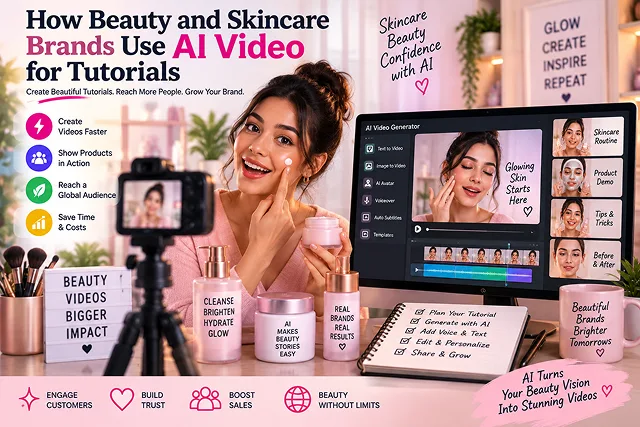
In the modern global market of beauty and skincare, visuals and proof play crucial roles. Product brands always suffered from similar challenges that stemmed from the inability for online consumers to try something out before purchasing, like applying a foundation, feeling the thickness of a hyaluronic acid serum, or being able to see how a contouring palette would look on a specific customer’s face.
However, brands are getting solutions to their issues from artificial intelligence powered video tutorial production systems that use a wide range of techniques such as computer vision, neural 3D face mesh tracking, dynamic video synthesis, and procedural skin tone calibration.
Above-the-Fold Feature Matrix: Studio Production vs. AI Beauty Video Pipelines
Beauty Content Workflow Matrix · Traditional Production vs. AI Beauty Video Pipelines
| Tutorial Dimension | Traditional Studio Shoot (Actors & Crew) | AI-Driven Beauty Tutorial Stack |
|---|---|---|
| Production Cycle | 2 to 4 Weeks (Casting, studio booking, editing) | 15 to 30 Minutes per completed tutorial |
| Cost Per SKU Video | $1,500 – $5,000+ per finished product video | $0 – $30/mo (Web platforms & open engines) |
| Model & Skin Diversity | Limited by casting budget and on-set talent | Instant representation across all skin types & tones |
| Texture & Macro Shots | Complex camera rigs, lighting, and multiple takes | Prompt-guided fluid dynamics & 3D quad rendering |
| Global Localization | Re-shooting or paying voice actors per market | Instant neural voice cloning & viseme lip-syncing |
| Ingredient Visuals | Static graphic overlays or costly 3D renders | Dynamic animated 3D molecular/botanical props |
1. The Personalized Video Tutorial Architecture
Rather than providing the same typical smokey-eye or skincare application lesson to all users, corporate sites (e.g., L’Oréal, Sephora, Perfect Corp) create responsive personalized loops.
[Customer Selfie / Web Camera Feed]
                │
                ▼
[AI Diagnostic Engine (Haut.AI / Perfect Corp / Olay Advisor)]
  • Determines Fitzpatrick Skin Tone (I to VI)
  • Identifies Undertone (Cool, Neutral, Warm, Olive)
  • Flags Target Concerns (Rosacea, Fine Lines, Dehydration)
                │
                ▼
[Dynamic Content Assembly Engine]
  • Selects matching pre-rendered base video or generates synthetic avatar demo
  • Injects real-time product recommendations & localized price tokens
  • Composites virtual product swatches over customer facial coordinates
                │
                ▼
[Interactive Web Player / Social Ad Unit: Custom 30s Step-by-Step Tutorial]
1. Accurate Skin Undertone & 3D Mesh Mapping
- A common flaw of basic beauty filters is the "floating makeup" mask effect. Enterprise video engines track 3D facial mesh models (such as MediaPipe or ARKit facial landmarks).
- This allows synthetic video layers—such as a liquid blush swipe or a clay mask application—to deform realistically with natural facial expressions, muscle movement, and real-time room lighting conditions.
2. High-Quality Texture Simulation
- In skincare, buyers want to see consistency: Is the sunscreen creamy, dry, shiny, or porous? Video diffusion engines use prompt conditioning specifically focused on fluid dynamics:
- "Extreme macro 4K video, 100mm macro lens, a drop of golden facial oil falling into a puddle of milky serum, subsurface scattering, viscous liquid dispersion, clinical studio lighting."
2. Production Sequence: Building an AI Beauty Video Tutorial
Follow this multi-stage workflow to produce studio-grade cosmetic tutorials without a camera crew:
1. Segment Customer Diagnostic Profiles
- Identify the exact customer personas by considering skin condition and skin tone (e. G., red-prone oily skin, finding the best shade for deep skin tones or combination skin aging dry skin).
2. Generate Master Macro Product Assets
- Input your static bottle, compact, or tube image into an AI video engine (such as Runway Gen-4 or Kling 3.0) using Image-to-Video. Prompt for slow-motion product rotations, clean background lighting transitions, and liquid texture swatches.
3. Synthesize the Step-by-Step Application Model
- Generate consistent model keyframes showcasing proper cosmetic placement (e.g., dotting foundation on high points of the face, drawing winged eyeliner). Use ControlNet Depth/Canny masks to ensure the hands and applicators interact with the facial contours accurately.
4. Voiceover Synthesis with Dermatological Pacing
- Generate a calm, conversational voiceover using ElevenLabs or Cartesia. Use SSML tags (break time="500ms"/) between steps so viewers have time to visually register how much product to dispense and where to blend it.
5. Dynamic Interactive Compositing
- Composite the model demonstration, split-screen macro texture footage, and real-time product buy buttons inside an interactive video player container (e.g., Firework, Remotion, or VideoWise).
Core Technological Applications in Beauty Video
Beauty brands apply generative video and computer vision across four distinct production categories:
| Application Area | Underlying AI Technology | Brand Execution & Output | Consumer Problem Solved |
|---|---|---|---|
| Personalized Shade-Match Demos | Computer vision undertone detection & GAN video rendering. | Dynamic 15-second video demonstrating application on the viewer's exact Fitzpatrick skin tier. | Eliminates buyer hesitation and reduces e-commerce return rates. |
| Micro-Texture Serum Macro Shots | Physics-based diffusion models (Runway / Sora / Kling). | High-frame-rate (120 FPS) macro slow-motion droplet breaks, emulsification, and skin absorption. | Cuts the high studio cost of filming macro liquid optics and high-speed motion rigs. |
| Predictive Skincare Progress Time-Lapses | Age-progression/regression image-to-video mapping. | Simulated 4-week clinical progression showing hyperpigmentation or acne fading. | Replaces static before/after photos with dynamic, believable timeline simulations. |
| Hyper-Localized Video Tutorials | Zero-shot neural voice cloning and viseme lip-syncing. | A single hero influencer tutorial translated into 20+ languages with synchronized mouth articulation. | Eliminates the need to fly global creators into centralized studios for local market campaigns. |
Request A Custom AI Video
Tell us what you're trying to create and we'll point you to the right tool — or help you set it up.
3. Five Cinematic Prompts for Macro Cosmetic Textures
In beauty e-commerce, showing the tactile behavior of a product (viscosity, emulsion, and finish) drives conversions faster than speaking about it. Use these prompts in FLUX.1 (for keyframes) and Kling 3.0 / Runway Gen-4 (for Image-to-Video motion vectors):
1. Serum of Water-Break Hyaluronic Acid
- Key Picture Prompt: Ultra-macro image captured with a 100mm lens that features the substance of serum hanging in air over shiny dewy skin with internal light refraction and with shiny brightness, soft studio lighting, which helps in creating clinical aesthetics and with a resolution of 8K.
- Movements Vector Technique (I2V): The recording of the droplet hitting the surface to cause the blooming and splitting of the droplet into the micro-droplets of water in slow motion with the speed of 120 FPS and the fluid moving smoothly across the substance.
2. Rich Ceramide Lipid Recovery Balm
- Key Picture Prompt: Macro top down shot of a thick velvety cream swatch being sculpted by a glass spatula, rich butter like texture, gentle ridges, gentle warm hue rim light, architectural minimalism.
- Movements Vector Technique (I2V): A macro camera movement traveling along the swatch of cream while the spatula glides smoothly. The film has no steadiness issues.
3. Encapsulated Retinol Micro-Bead Emulsion
- Key Picture Prompt: An extreme close-up macro shot of a see-through amber colored gel with glowing gold suspended within with subsurface scattering, laboratory lighting, shallo depth of field, in a 35mm clinical photograph.
- Movements Vector Technique (I2V): Slow pressure variation across the gel, the micro-beads rupture gently and turn to an emulsion of a milky white fluid, gently dispersing in smooth motion, 12,000fps macro optics.
4. Biphase Rosehip Oil Infusion
- Key Picture Prompt: Macro view inside a glass bottle where deep golden botanical oil meets a clear rosewater layer, meniscus curve boundary, glowing warm ambient backlighting, delicate air bubbles.
- Movements Vector Technique (I2V): Gentle swirling fluid motion, the floating suspended micro-beads and golden droplets of oil in the aqueous layer converge to a luminous hurricane of eddies, natural fluid hydrodynamic turbulence, cinematic slow-motion.
5. Transfer-Proof Velvet Matte Lipstick Swatch
- Key Picture Prompt: Macro horizontal swatch of berry-hued matte lipstick on textured skin, seen clearly with the texture of skin pores showing properly with no dryness. Lighting is that of a luxury makeup editorial.
- Movements Vector Technique (I2V): Smooth horizontal movement across the swatch being made as the applicator lays on rich colored lipstick with clean and defined edges.
4. The 3-Track Interactive Shoppable Video Architecture
Current beauty brands do not send users to individual product detail pages (PDPs) but instead embed a playful video player (e. G., Remotion-rendered layout and/or web components such as VideoWise/Tolstoy):
+--------------------------------------------------------------------------------+
|                                                                                |
|  1080 x 1920 VERTICAL REEL (Shoppable Viewport)                                |
|                                                                                |
|  +--------------------------------------------------------------------------+  |
|  | [LAYER 1: Synthetic Aesthetician Avatar / Model Application Video]       |  |
|  | Demonstrates technique (e.g., upward lymphatic drainage sweeps)          |  |
|  +--------------------------------------------------------------------------+  |
|                                                                                |
|  +--------------------------------------------------------------------------+  |
|  | [LAYER 2: Split-Screen Macro Inset Window (Picture-in-Picture)]          |  |
|  | Displays 120 FPS fluid texture absorption concurrently                   |  |
|  +--------------------------------------------------------------------------+  |
|                                                                                |
|  +--------------------------------------------------------------------------+  |
|  | [LAYER 3: Interactive Headless Checkout Overlay]                         |  |
|  | "Step 1: Barrier Hydrator - $34.00"   [ ONE-CLICK ADD TO CART ]          |  |
|  +--------------------------------------------------------------------------+  |
|                                                                                |
+--------------------------------------------------------------------------------+
- Direct-to-Cart Sync: The process of clicking on the video button makes a call to the Storefront API, so altogether the video continues to play in its picture-in-picture format and the cart drawer opens.
- Active Ingredient Callouts: Dynamic text banners with safe claims appear at certain timecodes (e.g., "Formulated at pH 5.5 to support microbiome.")
AI Video for Beauty & Skincare
Explore virtual beauty advisors, multi-skin tone tutorials, molecular CGI cutaways, and localized shade matching.
Brands use generative video pipelines to produce Digital Beauty Advisors, Dynamic Routine Guides, and Scientific Action Visualizations. Instead of organizing expensive studio shoots for every individual product shade or formulation, brands use AI to demonstrate correct application techniques, show cross-sectional skin layer penetration, and provide tailored morning/evening routines at scale.
An industry-standard production stack includes: Midjourney or FLUX (for generating high-definition macro skin and packaging baseline images), HeyGen or Synthesia (for realistic dermatological talking-head presenters), Kling AI or Runway Gen-3 (for fluid serum dropper and cream texture application passes), ElevenLabs (for soothing, professional voiceovers), and CapCut Desktop (for macro text labels and step indicators).
Over-smoothing creates an artificial, untrustworthy look in beauty content. Professional workflows prevent this by adding Texture Prompts and Moderate Denoising (e.g., specifying "visible skin pores, natural epidermal texture, subtle subsurface scattering, non-filtered macro photography"). Keeping video motion sliders between 3 and 5 ensures smooth movement without blurring fine skin details.
Yes. This is one of the biggest operational advantages for cosmetics brands. A single core routine script can be mapped across multiple Fitzpatrick skin phototypes (Types I through VI). By varying the base model parameters in Image-to-Video passes, the brand can demonstrate how a foundation shade or clear SPF appears on fair, olive, and deep melanated skin tones without booking multiple film crews.
Explaining technical benefits—like micro-encapsulated retinol delivery or ceramide barrier repair—used to require costly 3D medical CGI studios. Brands now prompt video models for Photorealistic Microscopic Cutaways: e.g., "3D cross-section render of human stratum corneum, glowing moisture molecules absorbing into dermal layers, scientific laboratory visualization."
Because pure text models struggle to reproduce specific packaging text and brand logos reliably, teams use a Hybrid Compositing Method. They take high-resolution studio packshots of the physical bottle or jar, place them into AI-generated lifestyle environments (such as a sunlit marble bathroom vanity), and use selective inpainting to animate water ripples or sunlight refractions around the fixed product asset.
Using cross-lingual dubbing and lip-syncing platforms (like HeyGen or ElevenLabs Dubbing), brands take an original tutorial delivered by a virtual aesthetician and re-voice it into 30+ regional languages with matching lip sync. This allows global brands to deploy localized product page (PDP) tutorials across Europe, Asia, and the Americas without recording separate footage.
The FTC and regional advertising watchdogs strictly prohibit deceptive before-and-after imagery. AI cannot be used to fabricate simulated clinical results or exaggerated product performance (like digitally erasing wrinkles and claiming it represents product efficacy). Brands must include synthetic media disclaimers and ensure claims reflect verified clinical trials.
Uncertainty over how to layer active ingredients (e.g., whether to apply Vitamin C before or after Niacinamide) is a primary driver of cart abandonment. Embedding concise, 30-second AI routine videos directly onto product detail pages answers usage questions instantly, boosting on-page conversion rates by 20% to 35% while reducing post-purchase returns.
Follow this proven 3-Step Beauty Production Blueprint: First, write a 45-second routine script highlighting key active ingredients, application order, and recommended frequency. Second, generate an aesthetician avatar presenter in HeyGen paired with macro Image-to-Video texture shots of the product formula in Kling AI. Third, edit the assets in CapCut, layer soothing background music with audio ducking, add step callouts (Step 1: Cleanse, Step 2: Hydrate), and embed the video across Shopify product pages and social channels.
Ready to try Skora AI?
Transform your ideas into cinematic video in seconds.